Personal field-user access
Installers, technicians, store employees and partners join by invitation, then sign in or create an account. They access assigned work and prepare their offline route.
A connected part of the Veritoo workflow, from preparation to reviewed reporting.
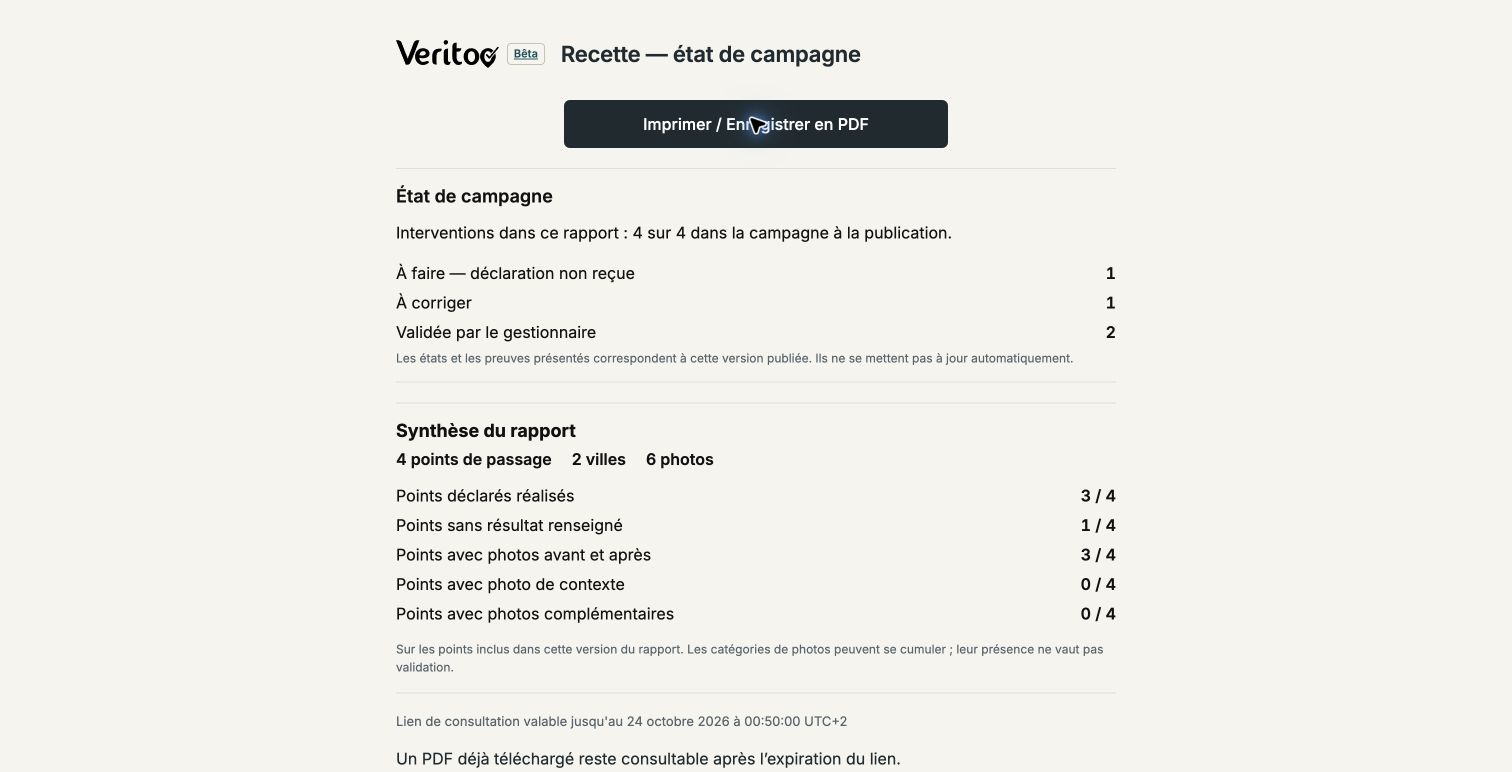
Installers submit photos and issues. The manager reviews submissions and chooses the appropriate report. The client opens the published version through a link without accessing the organisation’s internal workspace. Outstanding points can be included in a campaign status report.
Illustrative scenario, not a real client case.The responsible manager reviews outcomes, photos and issues before publishing.
Share a published completion report or campaign status report. Published versions are fixed snapshots and do not update automatically.
Use expiring, revocable links or export a PDF with photos and QR identification records. A downloaded PDF remains accessible after a link expires.
Keep control over what you publish to your client. Review declarations and evidence, then share the report version you choose.
Installers, technicians, store employees and partners join by invitation, then sign in or create an account. They access assigned work and prepare their offline route.
The manager checks photos, outcomes and issues before publishing. A campaign status report can also include outstanding points or work to correct, with each status made clear.
The link opens the published version with its summary, photos, identification record and PDF as applicable. Expiry and revocation help manage sharing. New declarations do not automatically change that version.
| Role | Access |
|---|---|
| Manager | Prepares operations, reviews declarations and publishes reports. |
| Field user | Uses a personal account to access assignments, instructions, documents, photos and submissions. |
| Report recipient | Views a published report using a confidential, expiring and revocable link, without a Veritoo account or paid internal seat. |
| Internal observer | Views information within the organisation according to permissions. This is not a portal automatically restricted to a particular client’s campaigns. |
No. A shared report is a snapshot at publication. New submissions do not automatically change that version; it is not a live client portal.
No. The recipient views the published version free through the confidential link and does not use an observer seat.
No. Revocation prevents further access through that link. It does not remove files a recipient has already saved.
14 free days per organisation · By invitation after approval · No automatic paid conversion. Try it independently; we remain available if you have questions.