Planning and field routes
Prepare the points to visit, assignments and instructions before departure.
Coordinate the operation, equip field users with the right instructions and turn reviewed evidence into a report.
Follow each step, from preparation to a report you can share.
Prepare the points to visit, assignments and instructions before departure.
Collect Before/After photos, outcomes and issues within each intervention file.
Download the content you need before departure, then synchronise submissions when connectivity returns.
Review completed work and share published reports and their PDFs.
Use Veritoo in a compatible browser on your smartphone, tablet or computer. There is no app to download from the App Store or Google Play, and no software installation is required for field users.
A network connection is needed to join and prepare your work. Before working offline, download the required points, route and documents. Access depends on your permissions and browser/device compatibility.
One shared workflow, from preparation to a published report.
Projects, multi-site campaigns, assignments and routes tell everyone where to go and what to do.
Use QR codes or IDs, read the instructions and collect Before/After photos, outcomes and issues.
A manager checks the evidence and publishes a completion report or campaign status report.
Location information helps connect a photo to its intervention point.
With the user’s permission, the device position can be collected when taking a photo. Imported photos may provide coordinates in their metadata.
When both the point and the evidence have coordinates, a distant position can be flagged for review. Location does not certify attendance or completion.
Available location adds context to a photo or intervention point. Veritoo does not continuously track staff movements, and route mode does not record their journey. Missing location data or denied permission does not prevent submission.
Real Veritoo screens show what field teams use and what managers can deliver.
Download selected points or the full route before leaving. Keep the relevant documents available on site.
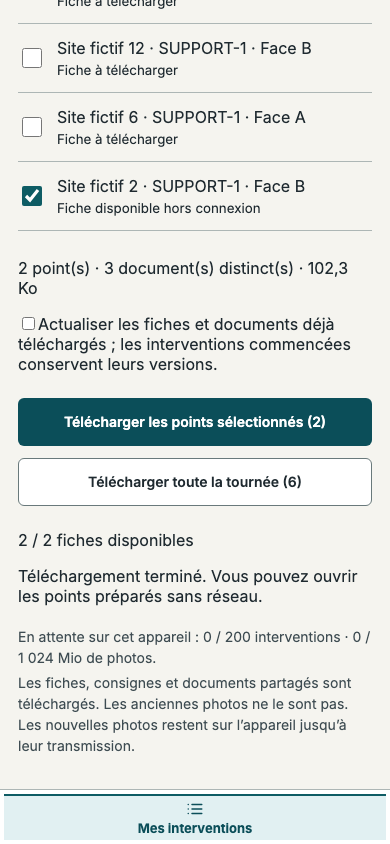
Veritoo screen in French · Sample data. Click to enlarge.
Shared campaign documents, site-specific variants and planograms stay with the work.
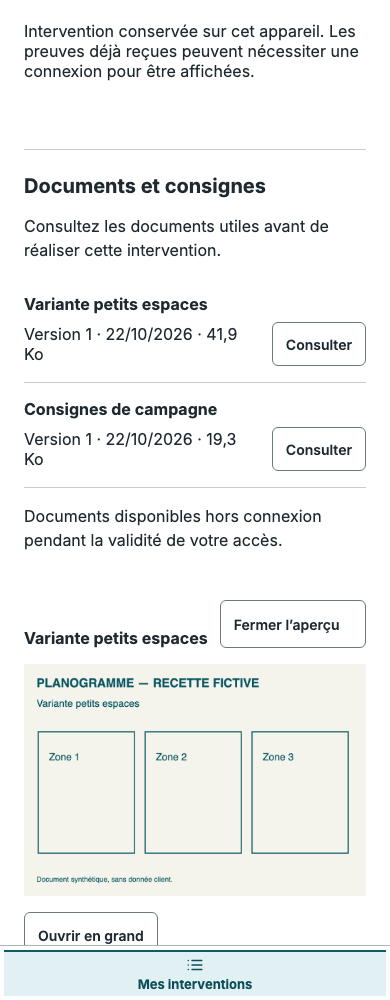
Veritoo screen in French · Sample data. Click to enlarge.
Review statuses and evidence in a published campaign report, then share or export the result.
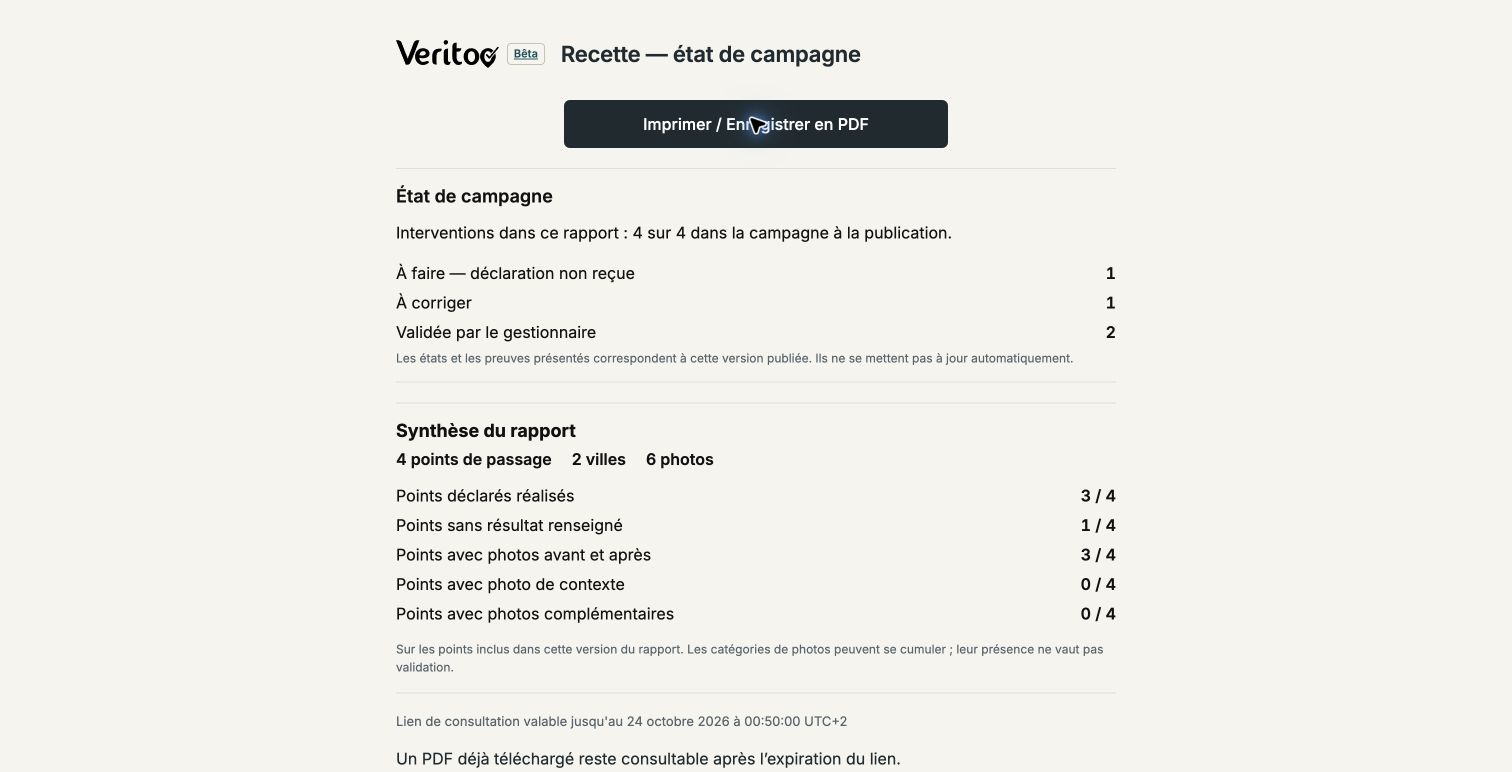
Veritoo screen in French · Sample data. Click to enlarge.
French sample PDF · 4 pages · 52 KB.
Keep control over what you publish to your client. Review declarations and evidence, then share the report version you choose.
Installers, technicians, store employees and partners join by invitation, then sign in or create an account. They access assigned work and prepare their offline route.
The manager checks photos, outcomes and issues before publishing. A campaign status report can also include outstanding points or work to correct, with each status made clear.
The link opens the published version with its summary, photos, identification record and PDF as applicable. Expiry and revocation help manage sharing. New declarations do not automatically change that version.
| Role | Access |
|---|---|
| Manager | Prepares operations, reviews declarations and publishes reports. |
| Field user | Uses a personal account to access assignments, instructions, documents, photos and submissions. |
| Report recipient | Views a published report using a confidential, expiring and revocable link, without a Veritoo account or paid internal seat. |
| Internal observer | Views information within the organisation according to permissions. This is not a portal automatically restricted to a particular client’s campaigns. |
Your files remain in an access-controlled workspace. Permissions depend on the organisation and each user’s role. Data is encrypted in transit, and technical backups complement these protections.
Each user accesses the content authorised by their organisation.
Published reports can be shared through time-limited, revocable links.
These complement the service’s protections and remain separate from your own retention of exported files.
Downloaded files should be stored on secure media managed by your organisation. Exported ZIP archives are not password-protected. Restrict access to authorised people and use your own protection tools where necessary.
No. Veritoo is presented neither as an end-to-end encrypted service nor as a certified digital vault. The protections described do not constitute a guarantee of absolute security.
No. Revocation prevents further access through that link. It does not delete files a recipient has already saved; protecting those copies is then their organisation’s responsibility.
14 free days per organisation · By invitation after approval · No automatic paid conversion. Try it independently; we remain available if you have questions.